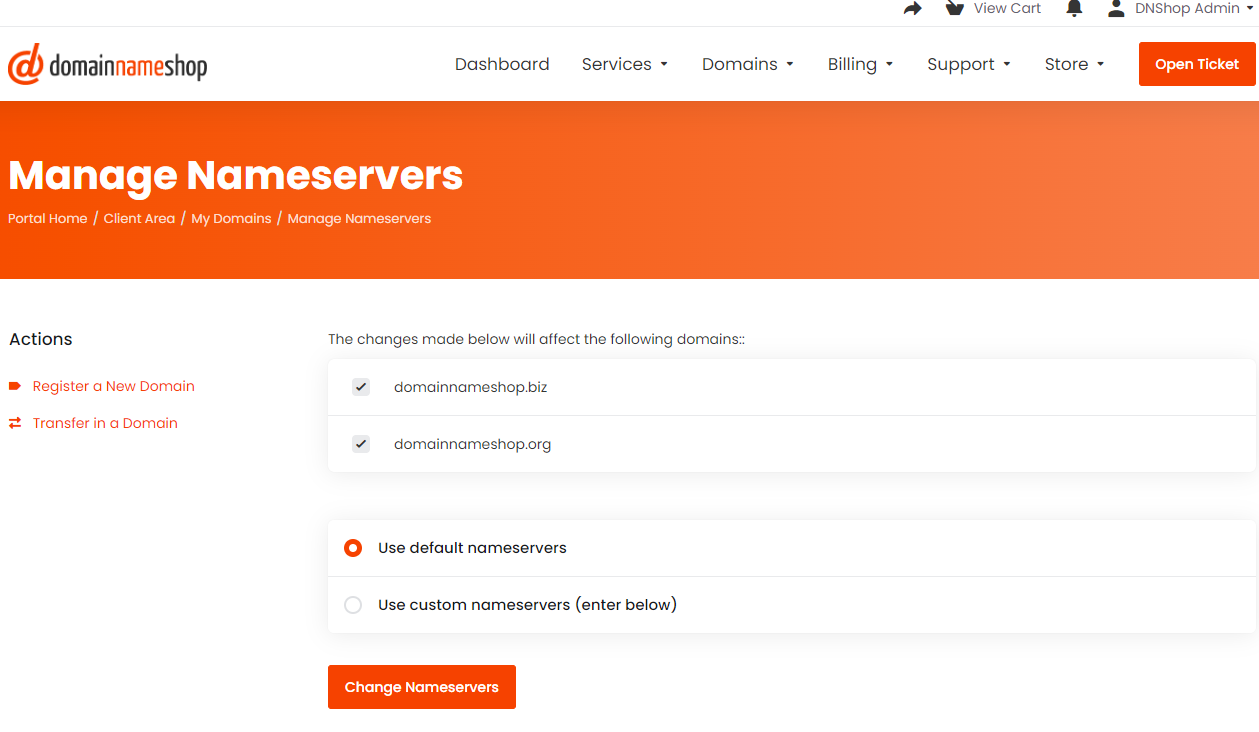
Updating a domain's nameservers on our new web portal is very straightforward and can be done directly from each domain's management page. Our default nameservers are:
- ns1.netzoomi.net
- ns2.netzoomi.net
- ns3.netzoomi.net
NOTE: The Registrar lock must be disabled for nameserver updates.
We always recommend that you take a backup of your DNS before migrating between nameservers. Once you are ready to migrate to your new nameservers, carry out the following steps.
Step 1
Go to Domain > My Domains and search for the domain name you would like to update. You can use the checkboxes to select multiple domains for bulk updates, or click on Manage next to a single domain.
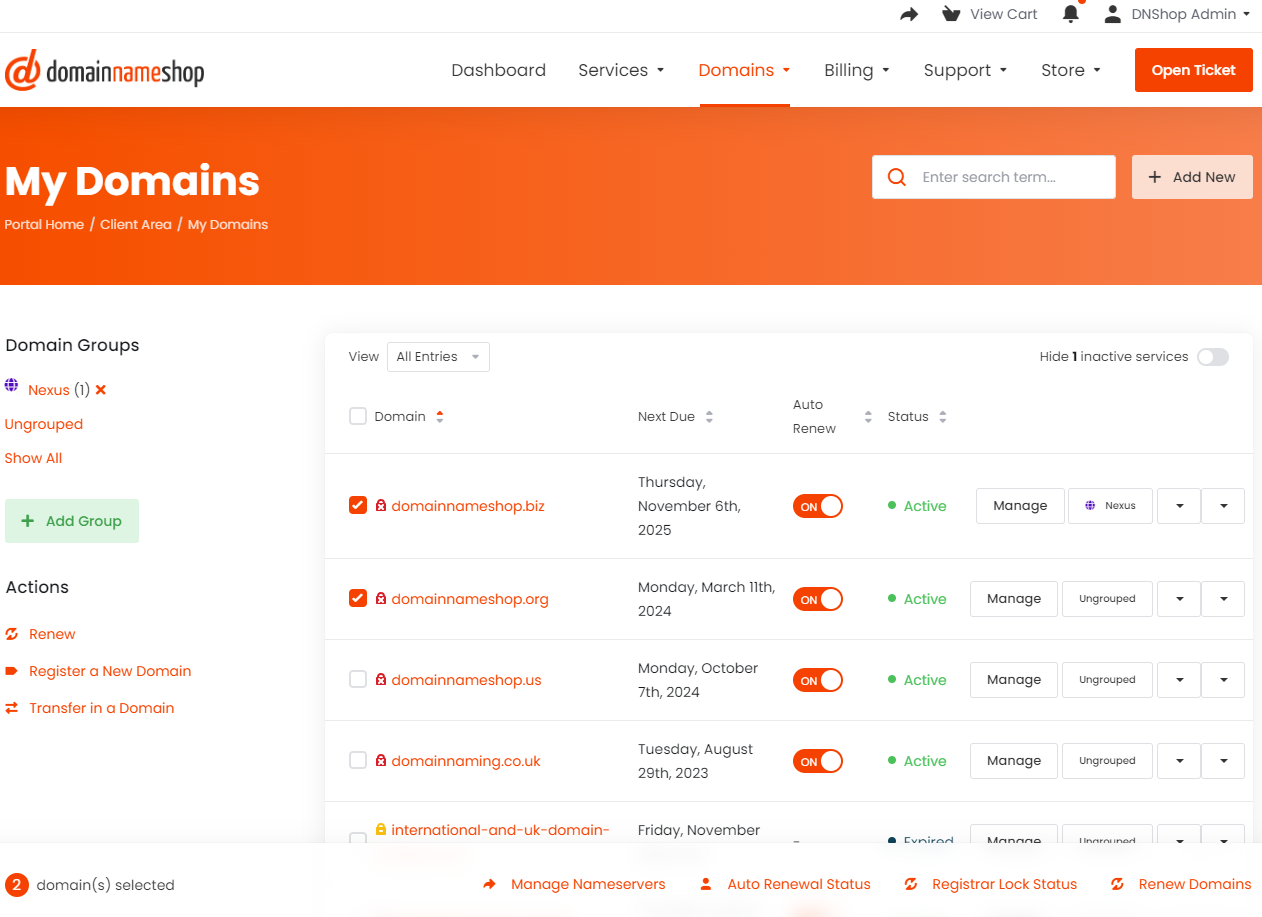
Step 2
Click on Manage Nameservers, or if you're editing a single domain on your domain management page, select 'Nameservers' on the management sidebar.
You can then use our default nameservers, or enter custom nameserver information.